Create & Sell with Canva Skool Review (2026): Is It Worth Joining?
 Kristin Horsburgh
- 55/100 data score
- 1K members
- $7/month
Review Member is reader-supported. When you join a community through a link on this page we may earn a commission at no extra cost to you. This never influences our ratings — we score every community against the same criteria.
Last updated August 10, 2026 · Reviewed by Review Member Editorial Team
Create & Sell with Canva at a glance
| Pricing | $7/month |
|---|---|
| Format | 26 courses + 233 modules + community feed (hosted on Skool) |
| Skill level | Beginner |
| Platform | Skool.com |
| Free trial | No free trial |
| Money-back guarantee | No stated guarantee |
| Members | 1,027 members |
| Posts published | 566 |
| Admins | 1 |
| Our score | 55 / 100 on published Skool metrics |
What is Create & Sell with Canva and who is it for?
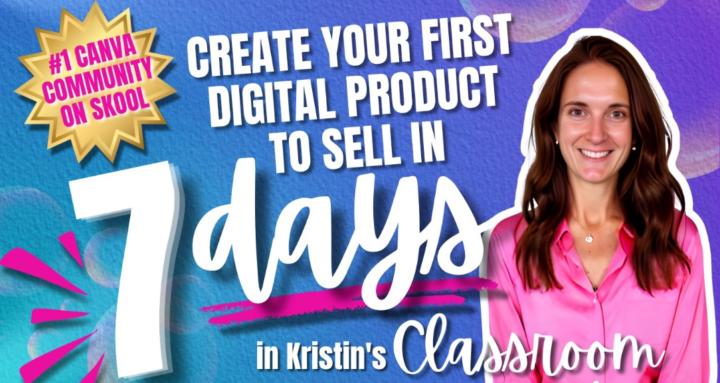
🏆 #1 Canva Community on Skool. Learn Canva, create digital products & sell with confidence — even if you're starting from zero. 🩷
Create & Sell with Canva is a $7/month community hosted on Skool and run by Kristin Horsburgh. Its public Skool page reports 1,027 members, 566 posts, a classroom of 26 courses and 233 modules, and the community has been running since September 2025. Kristin Horsburgh describes it this way: “If Canva feels overwhelming or like you're clicking random buttons and getting nowhere — this community was built for you. Even if you've never designed anything.”
About the creator: who is Kristin Horsburgh?
Kristin Horsburgh
Overwhelmed by Canva? Learn simple skills, create digital products, and build income doing something of your own.
What's included inside Create & Sell with Canva?
The list below is taken from Kristin Horsburgh's own description of the community on Skool. These are the creator's claims about what a membership includes — we have not independently verified them.
Ranked #1 Canva Community on Skool
Step-by-step Canva course
Tutorials + beginner roadmap
Product creation lessons
Full course on creating + selling (in progress)
Done-for-you templates
Bi-weekly challenges
Feedback on your products
Create & Sell with Canva pros and cons
Pros
- Low entry price at $7/month
- Active mid-sized community (1,027 members)
- Strong participation: 0.55 posts per member
- Substantial classroom — 26 courses across 233 modules
Cons
- Run by a single admin, so support depends on one person
- Skool does not offer a platform-wide refund policy — terms are set by the creator
How Create & Sell with Canva scores on the data
Data score
55/100
Every community is scored on the same six published metrics, with the same weights. Here is exactly how this number was calculated.
- Community size25% weight
- 60
- Discussion volume20% weight
- 59
- Engagement per member20% weight
- 28
- Course depth20% weight
- 95
- Moderation team8% weight
- 17
- Track record8% weight
- 30
1,027 members
566 posts
0.55 posts per member
26 courses, 233 modules
1 admin
11 months on Skool
Data score v1.0.0. Price and affiliate commission are deliberately excluded — scoring on either would build our own revenue into the ranking.
Create & Sell with Canva Skool review FAQ
How much does Create & Sell with Canva cost?
Create & Sell with Canva costs $7/month, billed through Skool. This figure was read directly from the community's Skool page on 2026-08-10, and creators can change pricing at any time.
How many members does Create & Sell with Canva have?
Create & Sell with Canva has 1,027 members according to its public Skool page. Member counts on Skool include everyone who has joined, not only those active in the last month.
Who runs Create & Sell with Canva?
Create & Sell with Canva is run by Kristin Horsburgh. In their own words: “Overwhelmed by Canva? Learn simple skills, create digital products, and build income doing something of your own.”
What's inside Create & Sell with Canva?
The Skool classroom lists 26 courses containing 233 modules, alongside the community feed. The detailed breakdown below is taken from the creator's own description of the community.
Is Create & Sell with Canva worth it?
Create & Sell with Canva scores 55 out of 100 on our data model, which weighs community size, discussion volume, engagement per member, course depth, moderation and track record. Its strongest signal is course depth (26 courses, 233 modules). Weigh that against the $7/month price before joining.
Final verdict: is Create & Sell with Canva worth it in 2026?
data score
Create & Sell with Canva scores around the middle of the communities we track with 55 out of 100. Its strongest signals are course depth (26 courses, 233 modules) and community size (1,027 members). The weakest is moderation team (1 admin).
At $7/month it sits at the low end of Skool pricing. Every figure on this page is read from the community's public Skool page and re-checked each time we refresh the directory.
$7/month
Cancel anytime from your Skool account
Compare with similar Skool communities
AI & Tech
Imperio Agéntico
89/100 data scoreby Benjamin Cordero
Comunidad #1 de IA Aquí ahorramos tiempo, vamos al grano y crecemos en serio con agentes, sistemas, vibe coding y automatizaciones con IA.
- Price
- $59/mo
- Members
- 3.3K members
- Posts
- 18.6K posts

AI & Tech
AI Automations by Jack
85/100 data scoreby Jack Roberts
If you're serious about AI Automation, this community will give you an unfair advantage. Join and build the world's most VALUABLE skill set 💎
- Price
- $87/mo
- Members
- 3.3K members
- Posts
- 24.5K posts

AI & Tech
Story Hacker AI
85/100 data scoreby Jason Hamilton
Learn to write 12+ books a year using AI, without compromising your creativity or ethics.
- Price
- $67/mo
- Members
- 1.8K members
- Posts
- 14.8K posts